
Your ride companion
Race the map. Keep the crew.
GPS rides with Standard, Sprint, and Circuit modes — plus crews, group rides, and leaderboards for the people you actually ride with.
Ride modes
Three ways to turn asphalt into a game
Free roam when you want the road. Sprint when there's a finish to beat. Circuit when you're looping a gate — go-karts, track days, parking-lot runs.
Sprint
Drop a finish pin and go. Built for street sprints, canyon blasts, and racing your friends to the same point on a real map.
Crews
Your circle. Your nights. Your board.
Build a crew, invite your people, and post group rides in Standard, Sprint, or Circuit. Everyone RSVPs, rides together, then shares photos and a leaderboard for that night — not some random global list.
- 01
Invite your people
Send an invite link. Friends tap it and open straight into your crew in the app.
- 02
Plan the night
Pick a mode, set when and where you meet, add a finish or gate if the ride needs one.
- 03
Ride, then keep the night
Everyone’s sessions land on the same ride. Climb the board and save the photos together.
Leaderboards
Rivalries you can feel
Global and following boards for the long game. Inside a group ride, the board switches to the metric that matches the mode — distance, top speed, or total time — so a circuit night doesn’t get ranked like a touring day.
- #1
Rishi
@rishi
178 km/h
- #2
You
@you
164 km/h
- #3
Aanya
@aanya
151 km/h
- #4
Neel
@neel
142 km/h
Features
All live in the app today.
Standard, Sprint & Circuit
Free roam, race to a finish, or draw a gate and time every lap — same GPS core, three different games.
Crews & group rides
Build a circle, post open-world / sprint / circuit rides, RSVP, then stack memories and a crew board.
Leaderboards that mean something
Global and following boards by distance or top speed — plus per-group-ride boards for the mode you actually ran.
GPS that stays with you
Live map, speed, distance, and background tracking while a ride is active.
Garage
Bikes and cars on your profile — pick the right machine before you start.
Memories
Photos on activities and shared crew albums after the session.
Share the session
Profile links, ride cards, WhatsApp, and Instagram Stories.
Routes you can reopen
Saved recaps with path, stats, and notes — not a throwaway ping.
Weekly & all-time stats
Distance, time, and the rides that actually stuck.
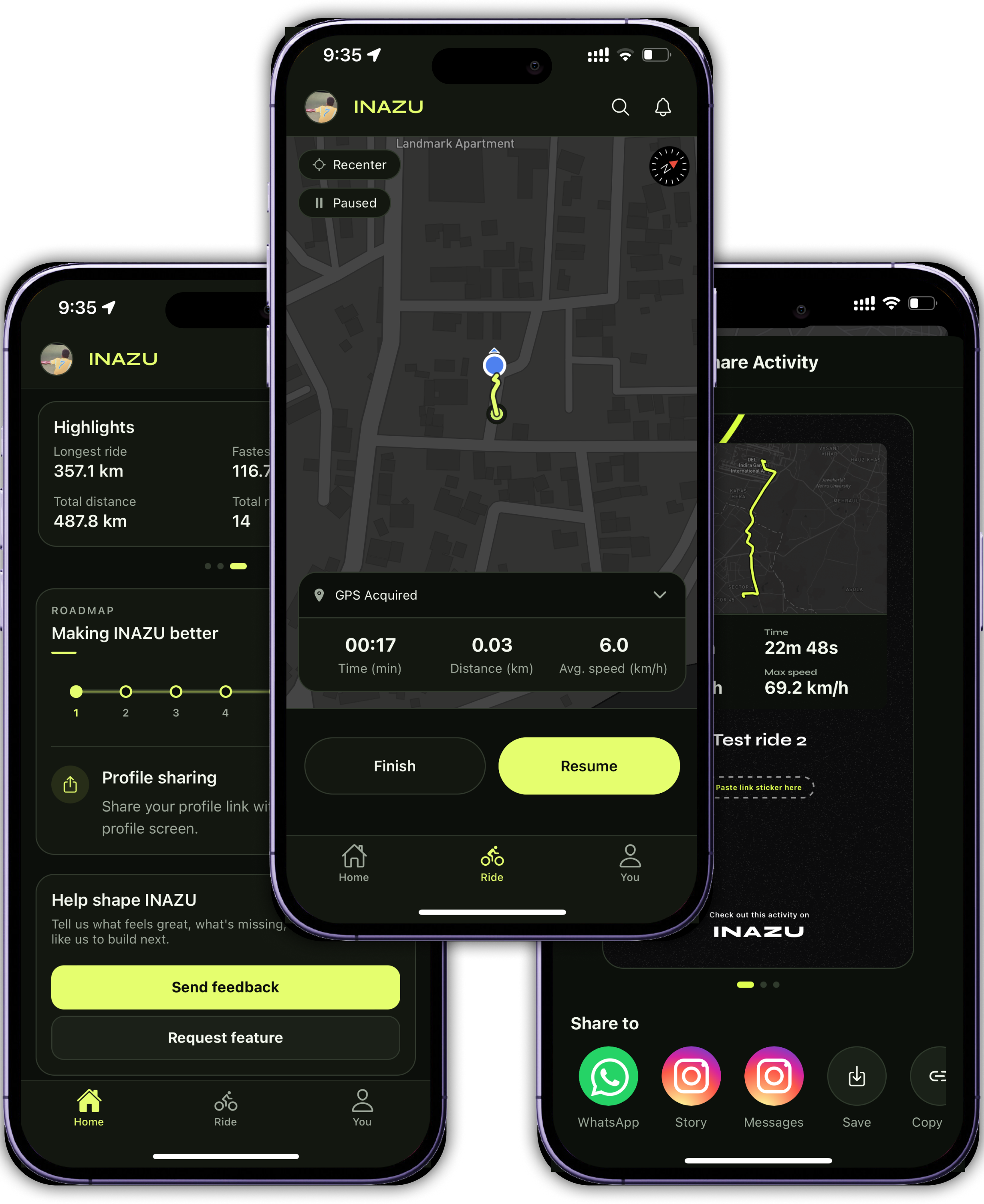
While you ride
The ride screen
Map, stats, and controls on one screen — exactly what you see in the app.
Live map
Route updates as you move
Pause & resume
Stop without ending the session
Background GPS
Keeps recording when screen is off
Distance
7.9 km
Time
24 min
Speed
20 km/h
Roadmap
- Standard, Sprint & Circuit
- Crews & group rides
- Leaderboards that mean something
- GPS that stays with you
- Garage
- Memories
- Share the session
- Routes you can reopen
- Weekly & all-time stats